
Case study: Feedback Hub
Feedback from everyone, on a phone or on paper
We built Feedback Hub with Centre 404 (opens in a new tab), for its events. People rate an event in a few taps on their phone, without giving their name. Paper forms count too: staff take a photo, AI reads it and a person checks it. It all lands in one dashboard.

- Built with
- Centre 404, a disability charity in Islington, London, for people with learning disabilities and their families
- What it is
- A web app for one organisation’s events, which we can set up for another
- Where it is now
- In use at the charity’s events
- The AI’s job
- It reads photos of paper forms, for a person to check before anything is saved
The challenge
Hearing from everyone at an event
Everyone at an event should be able to say how it went: participants, families, volunteers and staff. Some people prefer a phone, others prefer paper, and paper forms usually mean someone typing up every answer by hand.
So we built one place for both: a short form for phones, and paper forms read by AI, with a person checking every answer.
What we built
From an event to a report
The app’s own screens, shown with made-up events and comments: the real ones belong to Centre 404.
-
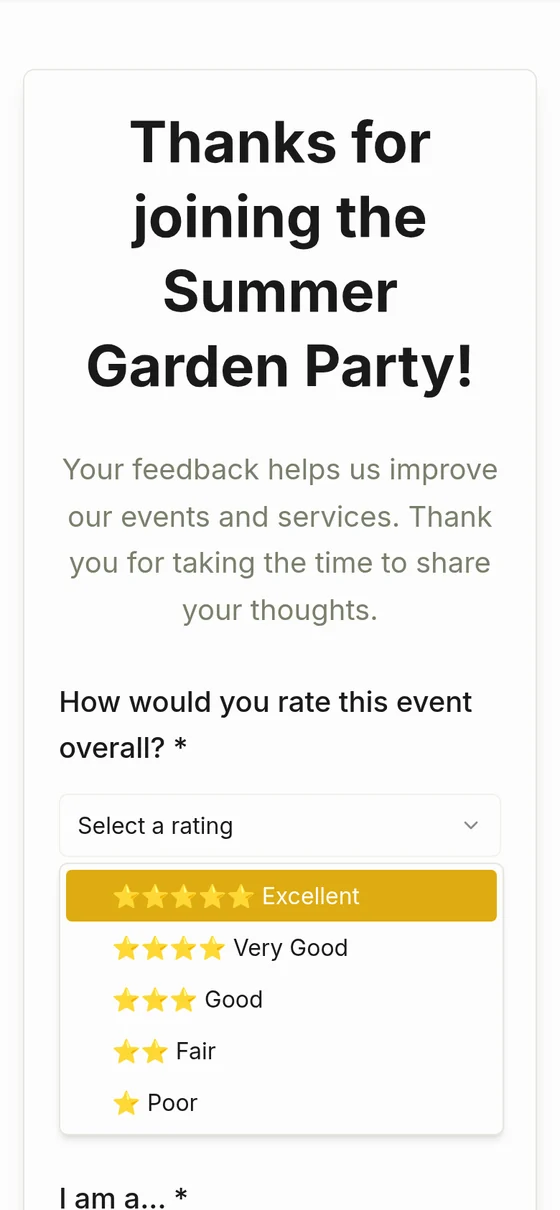
Rate it in a few taps
Five stars to one, on any phone. Large text and large buttons.
-
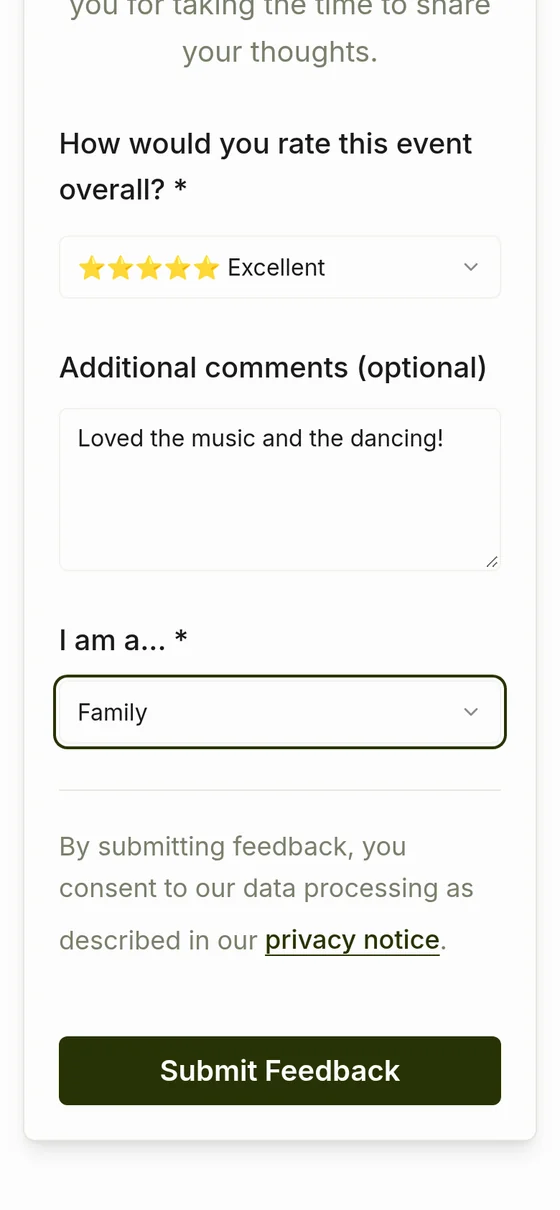
Say more, if you like
A comment and who they are: participant, family, volunteer or staff. No name or email address.
-

Thank you, and what’s next
A thank-you that staff write themselves, with a link to the next events.
-
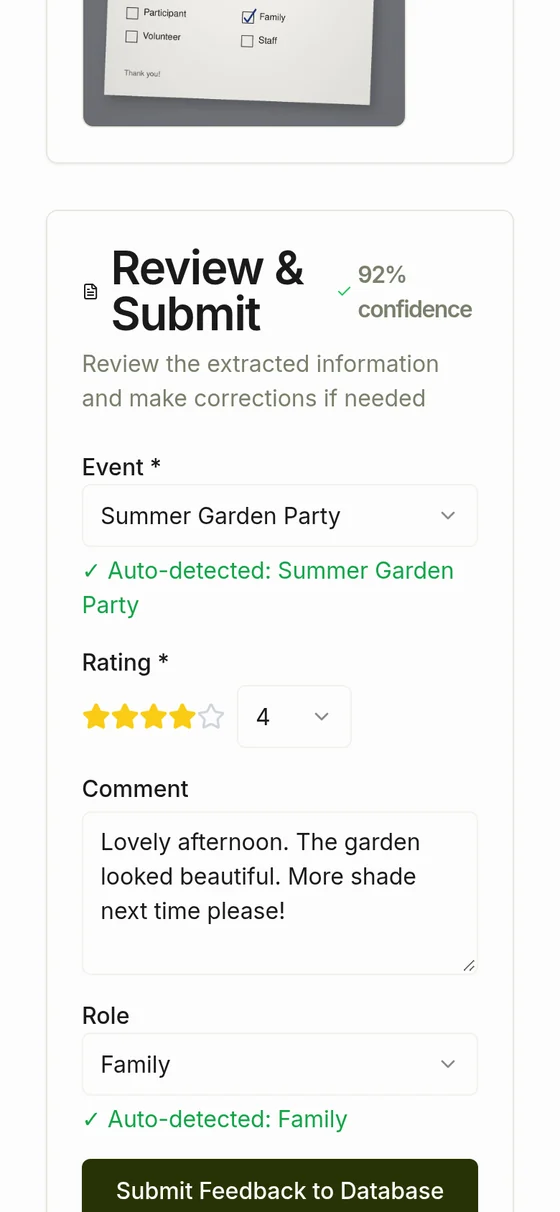
Paper forms too
Staff photograph a paper form. AI reads the rating, comment and role and says how sure it is. A person checks, then saves.
-
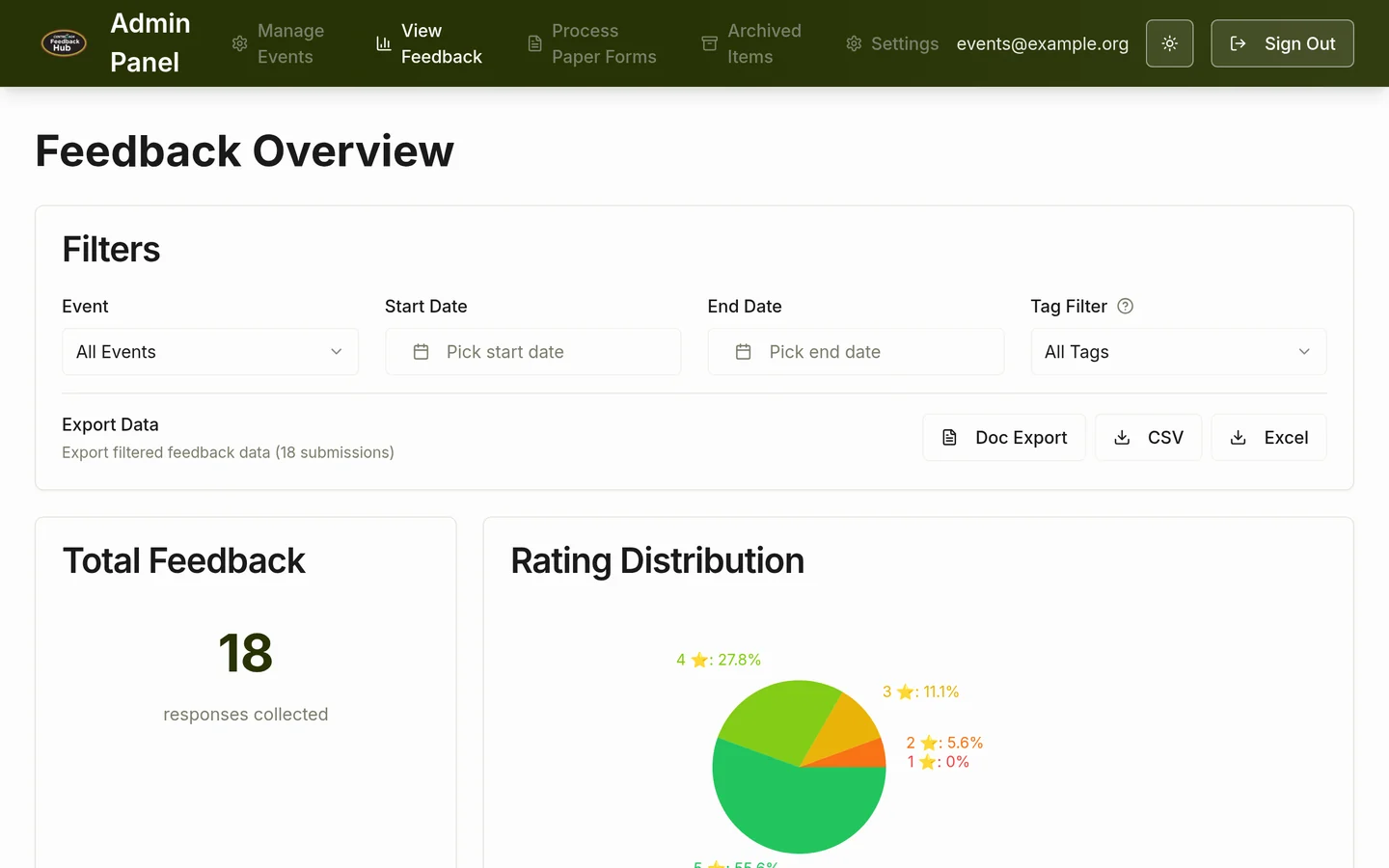
One dashboard for every answer
Filter by event, date or tag, see the ratings and who answered, tag comments as praise, suggestions or issues, and export to CSV, Excel or a Word report.


What’s inside
-
No name needed
The form asks for a rating, an optional comment and the person’s role, and nothing else.
-
Large and simple
Large text, large buttons and three questions, with light and dark modes.
-
Paper still counts
A photo of a paper form becomes an answer in the dashboard, once a person has checked what the AI read.
-
Staff in control
Staff open and close events and tag comments. Only invited staff can sign in.
-
Ready for reports
Export to CSV or Excel, or a Word document for each event.
-
Yours to adapt
We can set up a copy for another organisation, with its own events, questions and look.
How we built it
-
Quick to start, then made to last
We made the first version quickly, then rebuilt the server side so the app runs on its own server and database, with automated tests for signing in, limits on repeated requests and the AI step.
-
Privacy from the start
No names asked. Staff sign in by invitation only, the app refuses changes sent from other websites, and it doesn’t keep the photos of paper forms.
-
Under the hood
React and TypeScript, an Express server and a PostgreSQL database, and an OpenAI model to read the paper forms. The exports are made in the browser.
See it working
The live app holds real feedback from the charity’s events, so we don’t link to it here. In a 30-minute call we can show you around it with sample data, and talk about what you’d want to hear from your own people.
Want to hear from everyone at your events?
Tell us who you want to hear from. We’ll tell you honestly whether a tool like this would help, and how.