Case study: Community Magazine
A magazine everyone can be in
We built Community Magazine with Centre 404 (opens in a new tab). People send a voice note, a drawing, a photo or a few words. Staff approve every story, and families read it, listen to it or print it. Now any organisation can use it, free to start.

- Built with
- Centre 404, a disability charity in Islington, London, for people with learning disabilities and their families
- What it is
- A web app any organisation can sign up to, with its own space
- Where it is now
- Live, run by Innovative Workspace, with a free plan and paid plans
- The AI’s job
- On the paid plan, it sorts stories into sections and flags anything that needs a second look
The challenge
Newsletters leave people out
Most newsletters are put together from emailed stories, then retyped and laid out by hand. That takes staff time, and it leaves out the members who don’t read or write, whose news matters as much as anyone’s.
So we built a magazine that people make themselves, in whatever way works for them, with staff deciding what goes in.
What we built
From a phone to the magazine
Four steps, and only staff need an account. These are the product’s own screens, from its example organisation.
-
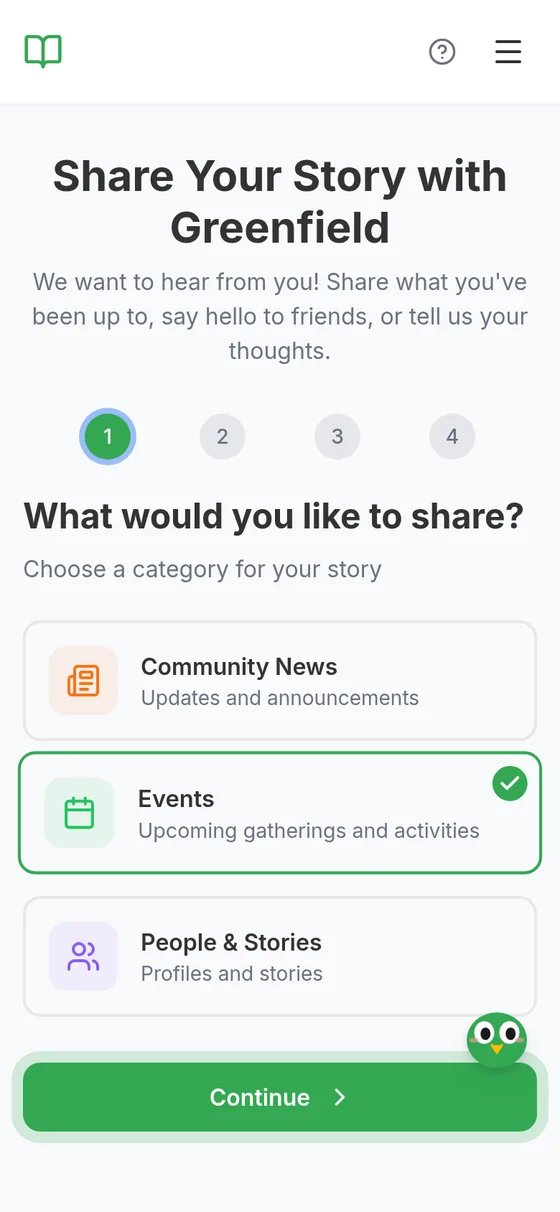
Open one link
Members open a link or scan a QR code on any phone or tablet. Nothing to install, no password.
-
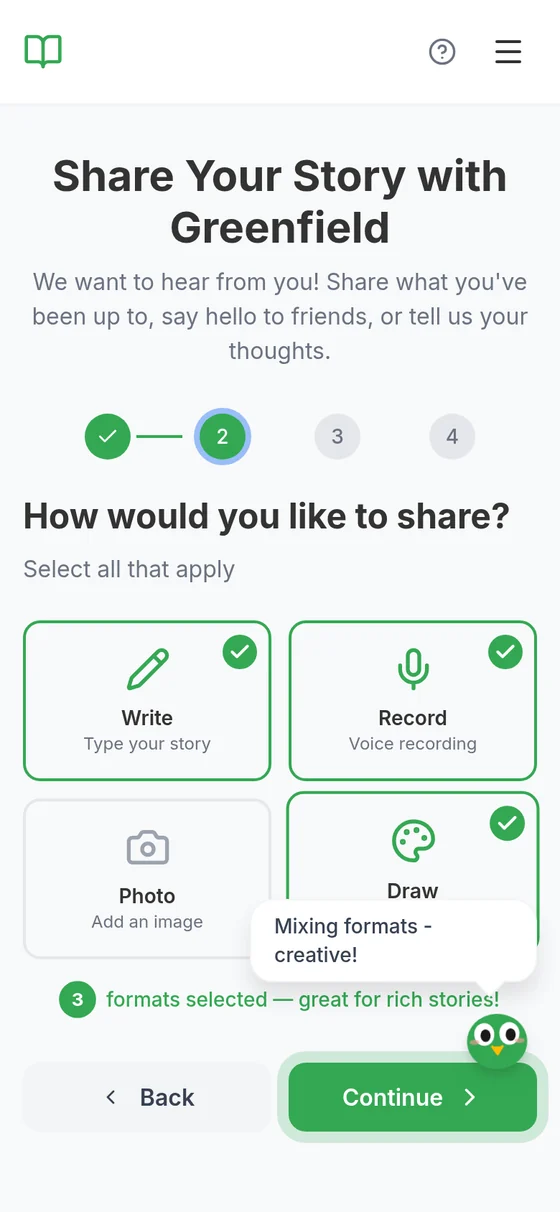
Choose how to share
Write, record, take a photo or draw, in any mix. Whatever works for each person.
-
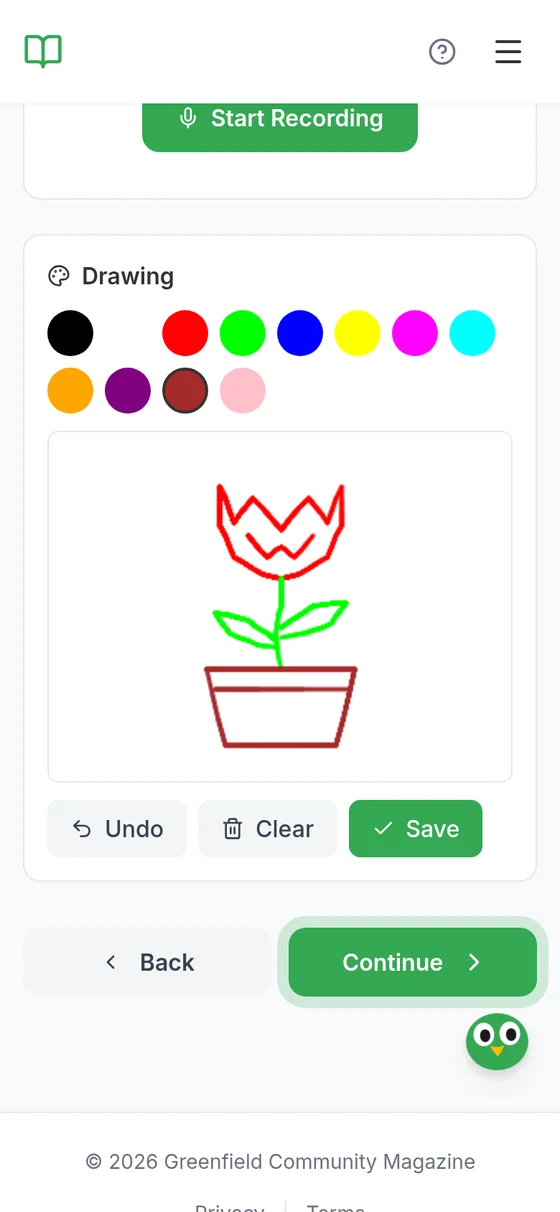
Make the story
Big buttons, one step at a time, and a friendly owl that cheers people on.
-
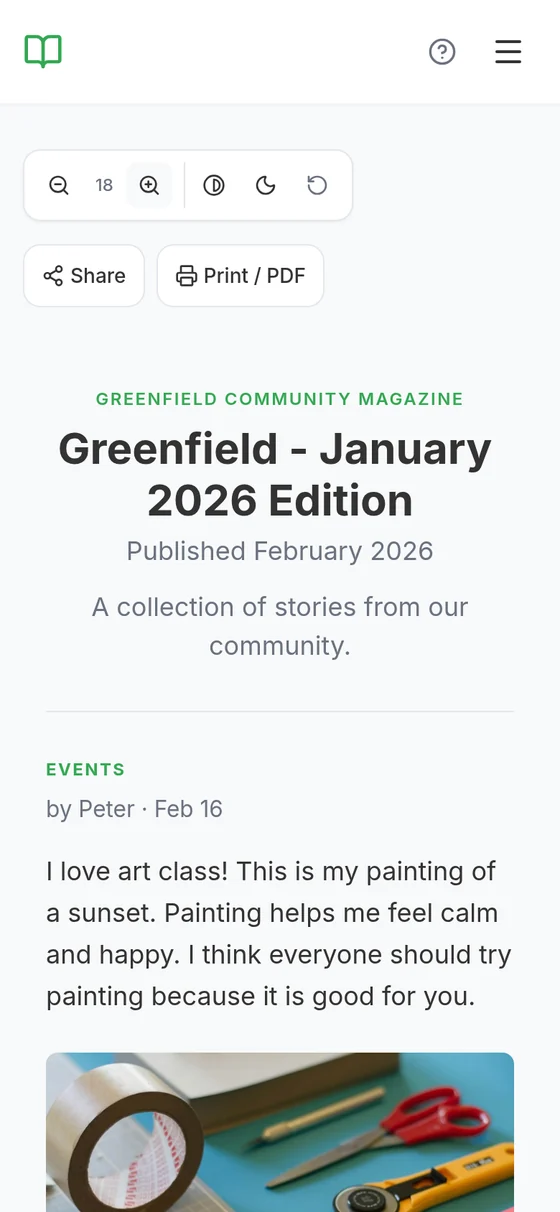
Read it, hear it, print it
Staff approve each story, then publish. Families read it with bigger text or high contrast, press Listen, or print it.


What’s inside
-
No app, no account
Members take part from a link or a QR code. Only staff sign in.
-
Every way of telling a story
Voice notes, drawings, photos or a few words, in any mix.
-
Staff decide what’s published
Nothing goes out until a member of staff approves it.
-
Easy to read and to hear
Every story has a Listen button. Readers can make the text bigger, or switch to high contrast or dark mode.
-
One link for families
Share it by email or WhatsApp, print it for the noticeboard or save it as a PDF.
-
AI that helps staff
On the paid plan, AI sorts stories into sections and flags phone numbers and anything else that needs a second look. A person checks, and publishes.
Where it is now
In use, and open to any organisation
Centre 404 made its first edition with it: photos, drawings and written stories from its members. In that edition, 6 of 8 stories had no written words.
Any organisation can use it too, with its own link, branding and team: day services, care homes, schools and community groups. It’s free to start, with paid plans for the AI help.
How we built it
-
With the people who use it
We built the first version with Centre 404, for its members and staff, then turned it into a product other organisations can sign up to.
-
Safe by design
Members need no account, and nothing is public until staff approve it. Analytics run only if a visitor agrees. Each organisation’s stories stay in its own space, and automated tests check that.
-
Under the hood
A web app in Next.js and TypeScript, a PostgreSQL database, Google’s Gemini for the AI features, text-to-speech for the Listen button and Stripe for the paid plans, with automated tests in desktop and phone browsers.
Try it yourself
Look around the product’s site, or read the example magazine of Greenfield, a made-up community group. Both open the product’s own site in a new tab; it has its own privacy policy and asks before it sets optional cookies.
Want everyone to have a say?
Tell us who you want to hear from. We’ll tell you honestly whether a tool like this would help, and how.